





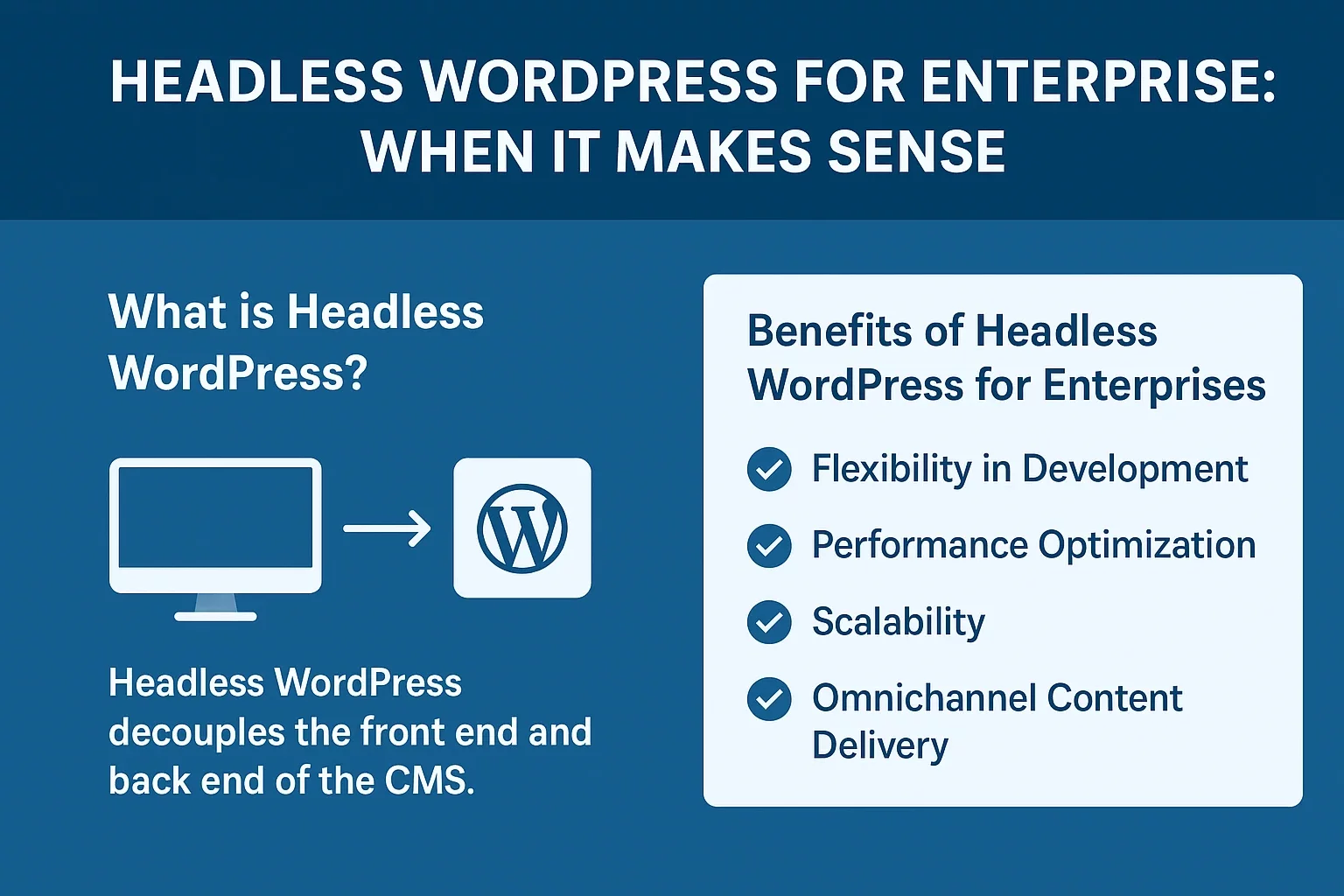
Headless WordPress architecture has become increasingly relevant for enterprise organizations looking to balance content management flexibility with development agility. Unlike traditional WordPress setups that couple the content management backend with a fixed frontend presentation layer, headless WordPress decouples these components entirely, allowing your content to be managed in WordPress while being delivered through any presentation layer you choose. This fundamental shift opens possibilities that monolithic architectures simply cannot match, but it’s not the right choice for every organization.
The enterprise landscape has evolved dramatically. Companies today operate across multiple digital touchpoints—websites, mobile applications, progressive web apps, IoT devices, and emerging platforms that didn’t exist five years ago. Traditional WordPress, while excellent at managing content and serving websites, wasn’t architected for this kind of distributed, omnichannel delivery. A headless WordPress approach addresses this limitation by treating WordPress as a powerful content management engine rather than a complete website platform.
But here’s the critical question: when does headless WordPress actually make sense for your enterprise, and when are you better served by alternative approaches? The answer isn’t binary. It depends on your specific requirements, technical capabilities, budget constraints, and growth trajectory. Let’s explore what makes headless WordPress compelling for enterprises, examine the real costs and complexity involved, and help you determine whether this architecture aligns with your organization’s goals.
Understanding Headless WordPress Architecture
Before diving into enterprise considerations, it’s essential to understand what headless WordPress actually is. In a traditional WordPress setup, the CMS handles content management, database operations, and frontend rendering. Your content exists in WordPress, gets processed by WordPress themes, and is delivered as complete HTML pages to visitors’ browsers. Everything is tightly integrated.
Headless WordPress severs this connection. WordPress continues to manage your content and provides access to that content through its REST API—a programmatic interface that allows external applications to request and receive structured data. Your frontend—whether it’s built with Next.js, React, Vue, or any other modern framework—communicates with WordPress purely through API calls. The frontend has no direct relationship with WordPress themes or the WordPress rendering engine.
This decoupling creates several architectural advantages. Your content exists in one place (WordPress), but it can be delivered to unlimited destinations. A single piece of content can power your website, mobile app, smartwatch app, voice assistant integration, and digital signage simultaneously. Each frontend can be optimized for its specific use case without compromising others.
Consider how modern headless CMS architecture fundamentally changes team workflows. Your content creators work in a familiar WordPress interface, while your developers build custom experiences using their preferred frameworks. They operate independently, which eliminates the traditional bottleneck where content changes require developer intervention.
Why Enterprises Are Adopting Headless Approaches
Enterprise organizations aren’t adopting headless architecture for trend purposes. The shift is driven by genuine business requirements that traditional architectures struggle to address. Understanding these drivers helps you evaluate whether they apply to your situation.
Scalability Without Constraints
Scalability is cited by 44% of enterprise organizations as a primary benefit of headless architecture, according to recent industry research. Traditional WordPress installations face architectural limits. As traffic increases and you add more features, the tight coupling between content management and frontend delivery creates performance bottlenecks.
Headless architecture inverts this constraint. You can scale your frontend independently from your backend. If your website experiences traffic spikes, you can optimize and scale your Next.js frontend without touching WordPress. If your content management needs grow dramatically—perhaps you’re now managing content in twenty different languages across dozens of regional variations—your backend scales independently.
This independence is particularly valuable for enterprises managing complex content delivery workflows. Belov Digital Agency has worked with organizations managing content across regional variations, seasonal campaigns, and personalized experiences. Traditional monolithic architectures force you to make compromises. Headless lets you optimize each layer for its specific demands.
Security as a Primary Consideration
Security emerges as the standout use case for organizations already operating headless systems. Sixty-five percent of enterprises using headless architecture cite security as their primary motivation. This statistic deserves attention because security has become non-negotiable for enterprise operations.
In a traditional WordPress setup, attackers targeting your frontend have potential pathways to your backend database. A vulnerability in your theme or plugins could provide access to your entire WordPress installation. The frontend and backend are fundamentally connected, which means security compromises can cascade.
Headless architecture changes this equation. Your frontend and backend are entirely separate systems. An attacker compromising your Next.js frontend application cannot, by default, access your WordPress backend or your content database. The separation creates a security boundary that didn’t exist before. Your WordPress installation sits behind your API, accessible only through carefully controlled endpoints with robust authentication mechanisms.
This doesn’t mean headless systems are automatically secure—poor API design or inadequate authentication can create vulnerabilities—but the architectural separation provides meaningful security advantages that enterprises increasingly require.
Omnichannel Content Delivery
Modern enterprises rarely serve a single channel. You might need to deliver content to your website, native mobile apps, progressive web apps, third-party platforms, in-app messaging systems, and emerging channels that don’t exist yet. Traditional WordPress was designed for websites. Adding mobile apps or other channels requires workarounds.
Headless WordPress was designed for this scenario. Headless WordPress enables content delivery across multiple channels from a single content management source. Your WordPress installation becomes a content hub—the single source of truth. Each channel’s frontend application retrieves the content it needs through API calls, formats it appropriately, and delivers it to users.
This matters tremendously for organizations managing complex digital ecosystems. You’re not duplicating content across systems. You’re not maintaining multiple databases with content that should be identical. Content updates instantly propagate across all channels. This is particularly valuable for enterprises where content consistency across touchpoints is non-negotiable.
Time to Market and Content Velocity
Forty-one percent of enterprises cite time-to-market as a primary benefit of headless approaches. This reflects a fundamental business reality: the ability to launch new experiences, update content, and respond to market changes quickly is increasingly valuable.
In a headless setup, your content team and development team work independently. Content creators can publish new content or update existing content without waiting for developers. Developers can deploy new frontend features without disrupting content operations. This parallelization reduces delays that plague traditional architectures where content management and presentation are tightly coupled.
Consider a scenario where you’re launching a new campaign with localized content across eight regions. In a traditional WordPress setup, your developers might need to configure new pages, adjust templates, or modify plugins. In a headless setup, your content team provisions the content in WordPress, your frontend is already configured to handle multiple regions, and the campaign launches without developer involvement. This velocity advantage compounds when you’re launching campaigns frequently.
The Enterprise Cost-Benefit Analysis
Headless WordPress offers genuine advantages, but enterprises must approach the decision rationally. The benefits come with meaningful costs—financial, operational, and organizational—that require careful evaluation.
Development and Implementation Costs
Let’s address the primary cost directly: building and maintaining a headless WordPress setup requires significantly more development resources than traditional WordPress. This is not a minor difference.
Traditional WordPress leverages thousands of existing themes and plugins developed by the community. Need an e-commerce store? Install WooCommerce. Need advanced SEO features? Install Yoast. Need form handling? Install WPForms. The WordPress ecosystem has solved most common problems, and solutions are often free or inexpensive.
Headless WordPress requires you to build solutions that traditional WordPress provides out of the box. Want an e-commerce storefront? You’re likely building a custom Next.js application integrated with WordPress and a dedicated e-commerce backend. Headless CMS architecture means you’ll be seeking additional technologies for frontend functionality, themes, and templates. This requires developers proficient in modern JavaScript frameworks, API integration, and distributed systems architecture.
The initial build cost typically runs 2-4x higher than comparable traditional WordPress implementations. For a moderately complex site, traditional WordPress might cost $50,000-$100,000 to build and launch. A headless version of the same functionality might run $150,000-$400,000 or more, depending on frontend complexity and integration requirements.
But initial build cost is only part of the equation. Ongoing maintenance also increases. You’re now maintaining two separate systems—WordPress backend and frontend application—instead of one integrated system. Security updates, dependency upgrades, monitoring, and troubleshooting all become more complex.
When These Costs Make Business Sense
These substantial costs make sense when you’re solving proportionally valuable business problems. Headless WordPress delivers exceptional value in specific scenarios:
- High-traffic, high-complexity websites where performance optimization and scalability are critical success factors. If your website experiences millions of monthly visitors and milliseconds of load time improvement translate to measurable business impact, headless architecture’s performance advantages justify the investment.
- Omnichannel content strategies requiring content delivery across multiple platforms and touchpoints. If you’re managing native mobile apps, web experiences, and third-party integrations that all require access to the same content, the ability to publish once and deliver everywhere becomes invaluable.
- Enterprise organizations with large development teams that can efficiently maintain distributed systems. If you already have 20+ developers on staff, the overhead of managing a headless setup is proportionally lower than for a team of 3.
- Organizations with evolving, undefined digital strategies where flexibility to pivot and experiment is crucial. Headless architecture’s ability to support new channels and technologies without rebuilding your entire platform provides strategic flexibility.
- Regulated industries where security and data isolation requirements are particularly stringent. Financial services, healthcare, and other heavily regulated sectors often benefit significantly from headless architecture’s security separation.
Hybrid Headless: The Enterprise Sweet Spot
Many enterprises face a dilemma: traditional WordPress doesn’t provide adequate flexibility and performance for their most demanding applications, but full headless architecture is too expensive and complex. Hybrid headless solutions offer a middle path that increasingly represents the enterprise sweet spot.
In a hybrid headless approach, WordPress serves some content and functionality through traditional server-side rendering—using themes and plugins for straightforward content delivery—while also exposing critical content and functionality through APIs for consumption by custom frontends. You get the best of both worlds: the ease-of-use and ecosystem benefits of traditional WordPress where appropriate, combined with the flexibility and performance of headless architecture where it matters most.
Budget Efficiency Through Strategic Application
Hybrid approaches maximize budget efficiency by allocating headless architecture only to high-value use cases. Instead of rebuilding your entire WordPress site as headless, you identify which applications and experiences genuinely require headless architecture and apply it strategically.
For example, imagine a large publishing company managing a website, mobile app, and email marketing platform. The core website—primarily content delivery with moderate interactivity—might function perfectly as traditional WordPress. The mobile app—requiring optimized performance, offline functionality, and push notifications—warrants a custom Next.js frontend consuming WordPress content through APIs. The email platform—with different content structures and distribution logic—might use WordPress as a content repository while implementing custom backend logic.
This hybrid approach reduces initial costs dramatically compared to full headless architecture. You’re not rebuilding everything; you’re strategically applying headless architecture where business requirements justify the investment. Over time, as your capabilities grow and additional use cases emerge, you can gradually expand headless components without the initial massive investment.
Preserving Existing WordPress Investments
Many enterprise organizations have years of WordPress customization, plugin integrations, and process optimization invested in their current systems. A headless approach eliminates the need to abandon these investments. You can keep your existing WordPress installation, maintain your plugin ecosystem, and continue leveraging all that accumulated optimization while selectively adopting headless architecture for new requirements.
This preserves institutional knowledge. Your content teams understand WordPress. Your developers know the theme and plugin landscape. Rather than requiring everyone to learn entirely new tools and workflows, hybrid headless lets you introduce new capabilities incrementally while maintaining what’s working.
Next.js and Modern Frontend Frameworks for Enterprise WordPress
Next.js has emerged as the default framework choice for headless WordPress implementations, particularly in enterprise contexts. Understanding why helps you evaluate whether this combination makes sense for your organization.
Why Next.js Dominates Headless WordPress
Next.js is a React framework built specifically for production applications. It solves problems that plague raw React applications: server-side rendering for SEO, automatic code splitting for performance, built-in API routes, image optimization, and a mature deployment ecosystem. For headless WordPress implementations, these capabilities are invaluable.
Server-side rendering deserves particular attention. SEO remains critical for most web applications. Traditional headless approaches using client-side rendering JavaScript frameworks often struggle with SEO because search engines must fully execute JavaScript to see page content. Next.js renders your page on the server, sends complete HTML to search engines, and handles client-side interactivity independently. This preserves SEO while delivering the benefits of JavaScript interactivity.
Next.js also handles image optimization automatically. WordPress stores images in your WordPress installation. Next.js serves these images through its optimization layer, automatically generating WebP versions, serving appropriately sized images to different devices, and implementing lazy loading. These optimizations dramatically improve page performance without requiring manual configuration.
Incremental static regeneration—a Next.js feature allowing pages to be rebuilt at specified intervals without full site rebuilds—elegantly solves a headless WordPress challenge. When content updates in WordPress, your Next.js frontend can automatically regenerate affected pages on a schedule or trigger-based approach, ensuring content freshness without the overhead of rebuilding your entire application.
Enterprise Considerations for Framework Selection
While Next.js is popular, other frameworks serve specific enterprise needs. Headless WordPress works with modern frameworks and custom implementations, giving you flexibility to choose based on your specific requirements.
Your framework choice should depend on several factors: your team’s existing expertise, the nature of your frontend application (simple marketing site vs. complex interactive application), SEO requirements, performance targets, and deployment infrastructure preferences. Next.js excels for most scenarios, but Vue-based Nuxt, Gatsby for static site generation, or custom applications built with React or Angular might better serve specific use cases.
The critical point: headless WordPress itself is framework-agnostic. You’re accessing WordPress through standardized APIs. Choose the frontend framework that best aligns with your team’s capabilities and project requirements.
Enterprise WordPress Hosting and Infrastructure
A headless WordPress implementation requires careful infrastructure decisions. Unlike traditional WordPress where your entire application runs on a single server, headless architectures distribute components across multiple systems, creating new infrastructure challenges.
Managed WordPress Hosting for Your Backend
Your WordPress backend serves a different purpose in headless architecture. Instead of serving website visitors, it serves API requests from your frontend applications. This creates different infrastructure requirements than traditional WordPress hosting.
Kinsta represents the category of managed WordPress hosting optimized for enterprise requirements. Managed hosts like Kinsta handle security updates, performance optimization, backup management, and scaling automatically. For a headless WordPress backend serving API requests, this managed approach eliminates infrastructure management overhead.
Key infrastructure considerations for your WordPress backend include automatic scaling to handle fluctuating API demand, robust backup systems (critical when your content serves multiple frontend applications), security hardening (your backend is exposed to the internet through APIs), and comprehensive monitoring.
Frontend Deployment and Hosting
Your frontend application—built with Next.js or another framework—requires different hosting. Traditional WordPress hosting isn’t optimized for Node.js applications. You’ll typically deploy frontends to platform-as-a-service providers like Vercel (created by Next.js developers and optimized for Next.js), Netlify, or containerized environments on cloud providers.
Vercel deserves particular mention for Next.js deployments. The platform is specifically optimized for Next.js applications, handles automatic deployments from Git repositories, provides edge function capabilities for server-side logic, and includes built-in monitoring and analytics. For enterprises, this simplifies deployment and scaling significantly.
API Management and Performance
WordPress REST API performance becomes critical when your frontend depends entirely on API requests. A slow API directly impacts frontend performance and user experience. Caching becomes essential—WordPress caching plugins that aggregate queries and reduce database load become more important than ever.
Advanced caching strategies—implementing Redis for application-level caching, configuring HTTP caching headers appropriately, or using a content delivery network like Cloudflare to cache API responses—become standard practice rather than optimization.
API rate limiting and throttling protect your WordPress backend from overwhelming load. If your frontend experiences traffic spikes, your API should gracefully degrade rather than collapsing under load. Proper infrastructure handles this automatically.
Real-World Enterprise Scenarios Where Headless WordPress Excels
Understanding when headless WordPress genuinely delivers value is more useful than abstract benefits. Let’s examine realistic enterprise scenarios.
Media and Publishing Organizations
Media companies managing content across websites, mobile apps, email newsletters, and syndication partnerships benefit tremendously from headless WordPress. A single article in WordPress can automatically flow to the website, mobile app, email system, and syndication partners without duplication or manual distribution.
Consider a news organization publishing 50+ articles daily across multiple sections, regions, and formats. Traditional WordPress forces content teams to publish articles for the website, manually export content for mobile apps, format differently for email, and handle syndication separately. A headless WordPress setup lets content teams publish once; the content automatically appears across all channels, formatted appropriately for each.
Headless architecture also enables sophisticated analytics. Each channel’s frontend can track user behavior independently while maintaining a unified understanding of content performance across all channels. This visibility is valuable for editorial decision-making.
Large E-Commerce Platforms
E-commerce enterprises rarely stop at websites. They operate mobile apps, marketplace integrations, point-of-sale systems, and emerging channels. Content management—product descriptions, marketing copy, promotional content—needs to be consistent across all channels.
A headless WordPress eCommerce approach provides robust systems capable of growing with your business while integrating with back office systems, mobile applications, and point-of-sale systems. Rather than forcing product information into WooCommerce’s structure, you can design your content model specifically for e-commerce while using WordPress as your content management system.
This is particularly valuable for enterprises where product information is complex—multiple variants, rich media, detailed specifications, compliance information—and must be distributed across multiple channels with different formatting requirements. Headless architecture handles this complexity elegantly.
SaaS Platforms Integrating Content and Application
SaaS companies increasingly embed content within their applications. Your onboarding flow might include educational content. Your dashboard might display contextual help articles. Your platform might have an integrated knowledge base. Traditionally, this requires building content management into your application or maintaining a separate system.
Headless WordPress offers an elegant solution. Your WordPress installation becomes your content management system. Your SaaS application retrieves content through APIs and displays it contextually. Content teams manage educational content in WordPress without touching code; developers integrate content seamlessly into the application experience.
Common Pitfalls and Why Enterprise Implementations Fail
Not all headless WordPress implementations succeed. Understanding common failure patterns helps you avoid them.
Underestimating Complexity and Cost
The most common failure point is underestimating what’s involved in building and maintaining headless architecture. Executives see WordPress’s ease-of-use and assume headless WordPress will be similarly simple. It’s not. Building headless WordPress is fundamentally more complex than traditional WordPress, requiring developers experienced in distributed systems, API design, and modern JavaScript frameworks.
Organizations that budget $100,000 for what they think is a complex WordPress project discover midway through that they’re actually building a distributed system requiring $300,000+ investment. Projects stall, timelines slip, and organizations abandon headless in favor of traditional approaches.
The solution: involve experienced developers in planning from the beginning. Budget realistically. Understand that you’re building a more complex architecture than traditional WordPress and fund accordingly.
Losing WordPress Usability Benefits
WordPress promises that headless provides faster performance, improved security, and better flexibility, but enterprises going fully headless often lose many perks WordPress became famous for, including the visual editor, extensive theme ecosystem, and plugin availability.
If your content teams rely on WordPress’s visual editor and you build a headless setup without preserving editor functionality, you’ve degraded the content creation experience significantly. If you depended on numerous WordPress plugins and they don’t work in your headless setup, you’ve created new problems instead of solving ones.
The solution: carefully evaluate which WordPress capabilities matter for your use case and ensure your headless implementation preserves them. This often means building custom solutions to replace lost functionality, which adds cost and complexity.
Insufficient Planning for Scale
Headless architecture’s promised scalability fails to materialize when teams haven’t thought through scaling strategy. A poorly designed API that works fine with 1,000 requests daily will struggle at 1,000,000 requests daily. Insufficient caching makes API responses slow. Inadequate monitoring means problems aren’t detected until users experience outages.
The solution: plan for scale from the beginning. Implement proper caching strategies. Design APIs with high load in mind. Build comprehensive monitoring. Test your system under realistic load before launch.
Evaluating Whether Headless WordPress Makes Sense for Your Enterprise
So should your organization adopt headless WordPress? Here’s a decision framework.
Headless WordPress makes sense when:
- You have multiple digital channels that need to consume the same content (website, mobile app, third-party integrations, etc.)
- Performance requirements are stringent enough that traditional WordPress constraints are problematic
- Security requirements demand separation between frontend and backend systems
- Your organization has sufficient development resources to build and maintain distributed systems
- You have budget to cover 2-4x typical WordPress implementation costs
- Your technical team has expertise in modern JavaScript frameworks and API architecture
- Your use case justifies the complexity investment—not every WordPress site needs headless architecture
Traditional WordPress or hybrid approaches make more sense when:
- You’re primarily serving a single digital channel (website) or a few closely related channels
- Performance requirements are achievable with proper WordPress optimization
- Budget is constrained and implementation costs must be minimized
- Your team lacks expertise in modern JavaScript frameworks and distributed systems
- Your content creation team depends on WordPress’s visual editor and usability benefits
- You’re using numerous WordPress plugins that provide value but don’t work in headless setups
Many enterprises find that a hybrid approach—traditional WordPress handling primary content delivery while headless architecture serves specific high-value use cases—represents the optimal balance of capability, cost, and complexity.
Getting Started with Headless WordPress
If you’ve determined that headless WordPress aligns with your enterprise requirements, how do you begin?
Proof of Concept Before Full Implementation
Start with a proof of concept addressing your most critical use case. Don’t rebuild your entire digital presence as headless. Instead, identify one problem that headless architecture genuinely solves—perhaps your mobile app currently requires a separate content management system—and implement a small headless solution.
This proof of concept teaches your team what’s involved, validates your architectural assumptions, and demonstrates ROI before you commit to large-scale implementation. You’ll learn whether the benefits justify the costs in your specific context.
Partner with Experienced Developers
Headless WordPress requires expertise that many general WordPress developers don’t possess. Look for partners with demonstrated experience building headless solutions. They should be proficient in WordPress REST API, modern JavaScript frameworks, API design, and distributed systems architecture.
Working with experienced partners like Belov Digital Agency accelerates development, helps you avoid common pitfalls, and ensures you’re implementing proven patterns rather than inventing solutions.
Invest in Proper Infrastructure
Don’t try to save money by cutting corners on infrastructure. Your WordPress backend and frontend need appropriate hosting, monitoring, and caching. The savings from choosing cheap hosting will evaporate when you’re dealing with performance problems and downtime.
Plan for Long-Term Maintenance
Headless WordPress requires ongoing maintenance—WordPress updates, frontend dependency updates, security monitoring, performance optimization. Factor these ongoing costs into your decision. If your organization can’t commit to this maintenance, headless WordPress will become a liability rather than an asset.
The Future of Enterprise WordPress
WordPress continues evolving. Sixty-five percent of organizations using headless architecture choose WordPress as their primary or secondary CMS, making WordPress the de facto choice for headless implementations. This is remarkable adoption for a platform originally designed for simple blogging.
The industry is clearly moving toward hybrid approaches where WordPress serves some needs through traditional rendering while also providing content through APIs. This hybrid model provides the flexibility enterprises require without the full complexity and cost of pure headless architecture.
For your enterprise, the question isn’t whether headless WordPress is good—it objectively provides genuine benefits in the right contexts. The question is whether those benefits address your specific challenges and whether the costs are justifiable given your requirements.
Take time to thoroughly evaluate your use case. Be honest about your technical capabilities and budget constraints. Consider whether a hybrid approach might deliver most benefits at significantly lower cost. When you have clarity on these factors, you can make a headless WordPress decision that genuinely serves your enterprise rather than pursuing architecture for its own sake.
If you’re evaluating headless WordPress for your organization and want expert guidance navigating these decisions, contact Belov Digital Agency. We specialize in helping enterprise organizations determine the right architecture for their specific needs and implementing solutions that deliver measurable business value.







