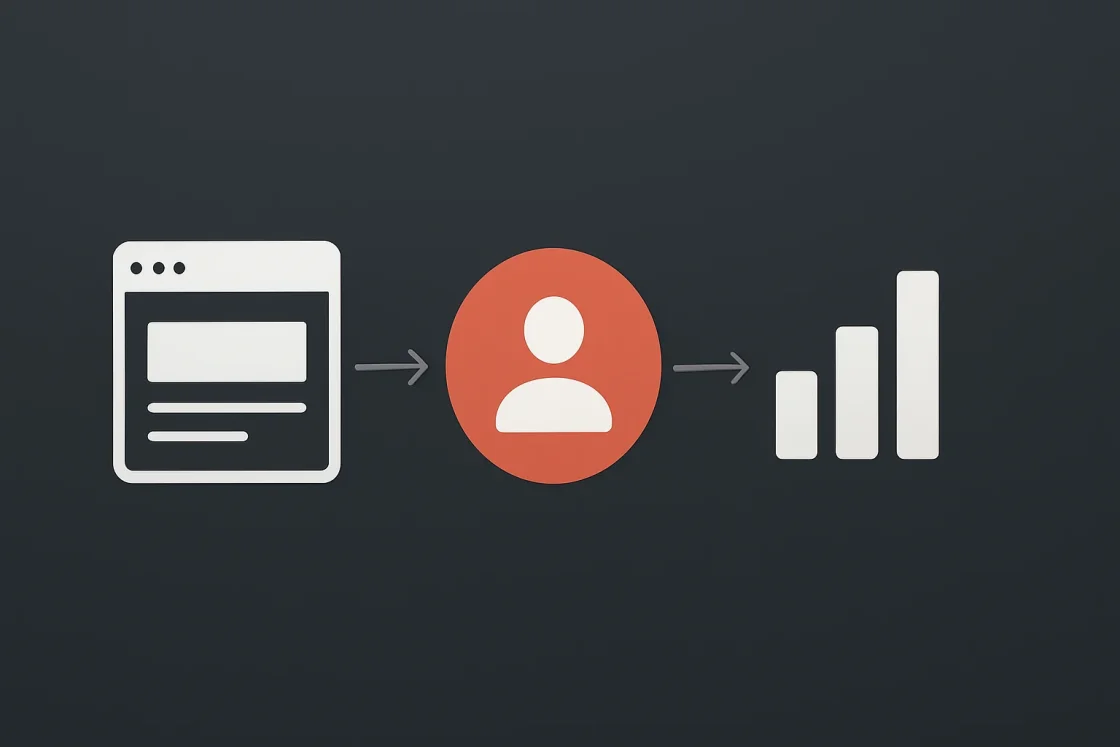
Behavior Analytics Integration for WordPress transforms raw visitor data into actionable insights that drive conversion, using specialized plugins like Opti-Behavior to track heatmaps, session recordings, and conversion funnels without relying on third-party cookies.
When you integrate behavior analytics into your Belov Digital Agency WordPress site, you gain a clear view of how users navigate, click, and engage—enabling you to optimize content, reduce friction, and improve overall performance with precision.
Unlocking User Insights Through Behavior Analytics WordPress Plugins
The foundation of successful behavior analytics integration lies in selecting the right behavior analytics wordpress plugin that aligns with your goals: privacy compliance, detailed Google Analytics reporting, or simplicity in tracking user journeys.
Unlike traditional analytics tools that only show aggregate data, behavior analytics plugins reveal where users click, how long they linger on specific sections, and why they abandon certain pages—offering a granular, visual understanding of user behavior.
For WordPress users seeking privacy-first solutions, Burst Statistics stands out as a top choice, eliminating cookie banners while delivering robust, real-time insights.
Meanwhile, Plausible Analytics offers a lightweight, no-cookie alternative that doesn’t slow down your site and integrates seamlessly with WordPress dashboards.
If you need deep Google Analytics integration with minimal code, MonsterInsights remains the industry leader, tracking link clicks, file downloads, and WooCommerce events automatically.
For those prioritizing self-hosted heatmaps and session recordings, Opti-Behavior provides a complete, privacy-compliant solution with zero configuration required.
Why Behavior Analytics WordPress Is Essential for Modern Websites
In today’s digital landscape, understanding user behavior isn’t optional—it’s critical for survival. Websites that fail to adapt to user expectations risk losing traffic, engagement, and revenue.
Behavior analytics WordPress tools empower you to:
- Identify high-traffic but low-conversion pages and optimize them for better results
- Discover where users drop off in your funnel and fix the underlying issues
- Personalize content based on actual user interactions rather than assumptions
- Validate design changes with real-time data from heatmaps and session recordings
- Comply with privacy regulations like GDPR and CCPA without sacrificing insights
According to The CPO Club, top behavior analytics tools like Sprig, LogRocket, and Creabl are now indispensable for capturing and analyzing user behavior at scale with AI-driven insights.
These tools don’t just report data—they explain it, helping teams make smarter decisions faster.
Key Features to Look for in a Behavior Analytics WordPress Plugin
When evaluating behavior analytics wordpress plugins, focus on these core features:
- Heatmaps – Visual maps showing where users click most frequently on your pages
- Session Recordings – playback of individual user journeys to spot friction points
- Conversion Funnels – Track how users move through your sales or signup process
- Privacy Compliance – No cookies, no consent banners, GDPR/CCPA ready
- Real-Time Dashboards – Instant access to live visitor activity and trends
- Goal Tracking – Define and monitor specific user actions (e.g., button clicks, form submissions)
For example, Plausible Analytics allows you to track events by adding a CSS class like plausible-event-name=Signup+Submit, then generates a goal in your account automatically.
Similarly, Opti-Behavior lets you set up funnels directly in its dashboard to visualize conversion paths.
Implementation Guide: Integrating Behavior Analytics into WordPress
Integrating behavior analytics into your WordPress site is straightforward with the right plugin. Below is a step-by-step guide using Opti-Behavior as the primary example.
Step 1: Install and Activate the Plugin
Go to your WordPress dashboard, navigate to Plugins → Add New, search for “Opti-Behavior,” and click Install then Activate.
Once activated, the plugin begins tracking automatically—no configuration needed.
Step 2: Access the Dashboard
Click on Opti-Behavior in the admin menu to open the dashboard, where you’ll see real-time visitor activity, including page views, clicks, and session durations.
This is your central hub for all behavior analytics data.
Step 3: Explore Heatmaps
Navigate to the Heatmaps section to view click patterns across your pages. You’ll see color-coded overlays indicating high-traffic areas and potential drop-off zones.
Use this data to redesign layouts, reposition buttons, or simplify navigation.
Step 4: Set Up Conversion Funnels
In the Funnels tab, define your desired conversion paths (e.g., homepage → product page → checkout). The tool will then track how many users complete each step and where they abandon.
This helps you pinpoint exactly where to optimize for better conversions.
Step 5: Customize Settings for Privacy
Under Settings, adjust tracking behavior and privacy options to ensure compliance with local regulations. You can anonymize data, exclude internal traffic, and disable IP logging if needed.
For privacy-first alternatives, consider Burst Statistics or Plausible Analytics, which require no cookie banners and operate without storing user IDs.
Real-World Case Studies: How Behavior Analytics Drives Results
Let’s look at how real businesses have used behavior analytics WordPress tools to achieve measurable improvements.
Case Study 1: E-Commerce Site Boosts Conversion by 35%
An online retailer integrated Opti-Behavior to track user behavior on their product pages. Heatmaps revealed that users frequently ignored the “Add to Cart” button because it was positioned below a long description.
They moved the button to the top, right next to the product image, and saw a 35% increase in conversions within two weeks.
Session recordings also showed that many users scrolled past the shipping info section, leading the team to add a sticky banner with key details—further reducing abandonment.
Case Study 2: SaaS Company Reduces Funnel Drop-Off by 28%
A SaaS company used Plausible Analytics to track signup funnel performance. They discovered that 40% of users left the page after entering their email but before clicking “Submit.”
By adding a clear progress indicator (“Step 1 of 3”) and simplifying the form fields, they reduced drop-off by 28% and increased completed signups.
Goal tracking confirmed that the “Submit” button click rate improved significantly after the change.
Case Study 3: News Site Increases Page Engagement by 50%
A news portal used MonsterInsights to analyze which articles kept readers engaged. Link click tracking showed that users rarely clicked on “Read More” links at the end of posts.
They replaced those with embedded “Next Article” suggestions based on reading history, resulting in a 50% increase in page engagement and higher overall session duration.
MonsterInsights also tracked file downloads, revealing that users preferred PDF summaries over long-form articles—prompting a content strategy shift.
Comparing Top Behavior Analytics WordPress Plugins
To help you choose the best tool for your needs, here’s a comparison of leading behavior analytics wordpress plugins:
| Plugin | Best For | Privacy Compliance | Key Features | Pricing |
|---|---|---|---|---|
| Opti-Behavior | Self-hosted heatmaps & session recordings | Yes (no cookies, GDPR-ready) | Heatmaps, Funnels, Real-Time Dashboard | Free |
| Burst Statistics | Privacy-first alternative to GA | Yes (no consent banner) | Real-Time Stats, Page Views, Session Duration | Free + Paid |
| Plausible Analytics | No-cookie, lightweight tracking | Yes (no consent banner) | Goal Tracking, Event Goals, WordPress Dashboard View | Free + Paid |
| MonsterInsights | Google Analytics integration | No (requires GA cookies) | Link Clicks, File Downloads, WooCommerce Tracking | Free + Paid |
| Independent Analytics | Simple, privacy-friendly stats | Yes | Basic Stats, Page Views, Visitor Trends | Free |
| AnalyticsWP | Lightweight, privacy-focused plugin | Yes | Visitor Behavior, User Journeys, No Lag | Free |
For WordPress users prioritizing privacy and simplicity, Burst Statistics and Plausible Analytics are the strongest options.
If you need deep Google Analytics integration with advanced tracking, MonsterInsights is the top choice.
For self-hosted heatmaps and session recordings, Opti-Behavior offers a complete, no-cost solution.
Advanced Tips for Maximizing Behavior Analytics Insights
Once you’ve integrated your behavior analytics WordPress plugin, go beyond basic tracking to unlock deeper insights.
Tip 1: Segment Users by Behavior
Instead of analyzing all users together, segment them by behavior patterns: new visitors, returning users, high-intent shoppers, or those who abandoned the funnel.
Use this segmentation to tailor content, offers, and messaging for each group.
Tip 2: Combine Heatmaps with Conversion Data
Heatmaps show where users click, but combining them with conversion data reveals why certain clicks lead to success or failure.
For example, if users click a button but don’t convert, check if the button leads to a broken page or unclear instructions.
Tip 3: Use Session Recordings to Identify Friction
Session recordings let you watch individual user journeys in real time. Look for:
- Rapid scrolling (indicating confusion or disinterest)
- Repeated clicks on the same element (suggesting a broken link)
- Long pauses before clicking (implying hesitation or uncertainty)
These behaviors highlight areas needing immediate optimization.
Tip 4: Set Up Custom Goals for Critical Actions
Define goals for key actions like form submissions, button clicks, or video plays. Most plugins allow you to set these up via CSS classes or JavaScript events.
For Plausible Analytics, add a class like plausible-event-name=Newsletter+Subscribe to track subscription clicks.
Then create a corresponding goal in your account to monitor performance.
Tip 5: Monitor Real-Time Trends for Immediate Action
Use the real-time dashboard to spot sudden spikes or drops in traffic. If a page suddenly loses engagement, investigate potential causes: server issues, content changes, or external links breaking.
Quick response to real-time data prevents long-term damage.
Future Trends in Behavior Analytics for WordPress
As technology evolves, behavior analytics for WordPress will become even more powerful and intelligent.
Trend 1: AI-Powered Predictive Analytics
Next-gen tools will use AI to predict user behavior before it happens—forecasting which pages will convert, which users will churn, and where friction is likely to occur.
Tools like Sprig and LogRocket are already leading this trend with AI-driven insights.
Trend 2: Privacy-First, Cookieless Tracking
With increasing regulatory pressure, most platforms are moving toward cookieless, anonymized tracking that complies with GDPR, CCPA, and other laws without sacrificing data quality.
Burst Statistics and Plausible Analytics are pioneers in this space.
Trend 3: Integration with Marketing Automation
Behavior analytics will increasingly integrate with marketing automation platforms (e.g., HubSpot, Mailchimp) to trigger personalized campaigns based on user behavior.
For example, if a user abandons a cart, an automated email can be sent with a discount offer.
Trend 4: Visual Funnel Optimization
New tools will offer visual funnel builders that show not just where users drop off, but why—with interactive annotations and suggested fixes.
Conclusion and Next Steps for Your WordPress Site
Integrating behavior analytics into your WordPress site is no longer optional—it’s a strategic necessity for driving conversions, improving user experience, and staying competitive.
By choosing the right behavior analytics wordpress plugin—whether Opti-Behavior, Burst Statistics, Plausible Analytics, or MonsterInsights—you gain the power to understand, optimize, and grow your audience with precision.
Start small: install a plugin, explore the dashboard, and test one change based on heatmap or funnel data. Then scale up as you see results.
For expert guidance on selecting and implementing the best behavior analytics solution for your WordPress site, visit Belov Digital Agency or contact us directly at Contact Us.
We also offer specialized services in WordPress optimization, analytics integration, and conversion strategy—helping you turn data into measurable growth.
Ready to take the next step? Explore our WordPress Optimization page or read our latest blog post on analytics trends.